Help
Help
Instructions for Stamp
You can participate in stamp cards and stamp rallies held at shops and various spots throughout the VISON area and collect stamps.
Simply scan the QR code at a shop or spot using the app to receive rewards such as gifts or services, or to enter prize drawings.
Search Stamp Cards
& Stamp Rallies
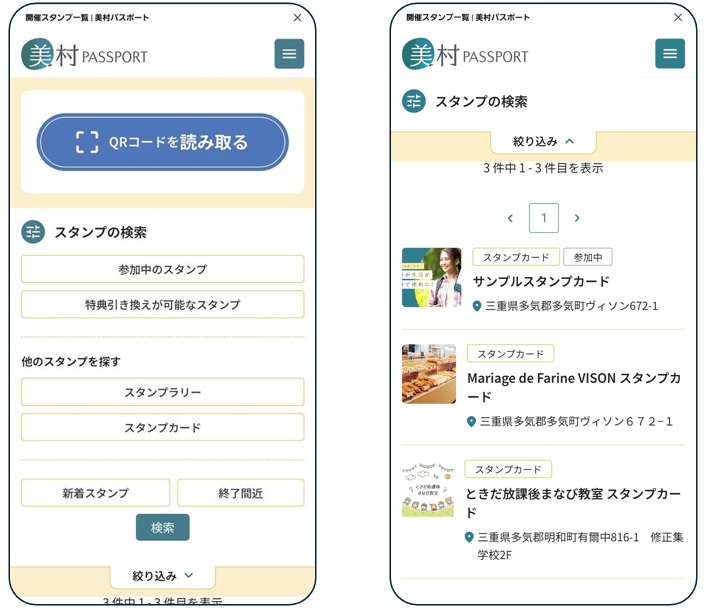
We provide information on stamp cards and stamp rallies that are currently available.
You can easily search for events and shops you’re interested in by conditions such as New, Ending Soon, or Currently Participating.
How to Earn Stamps
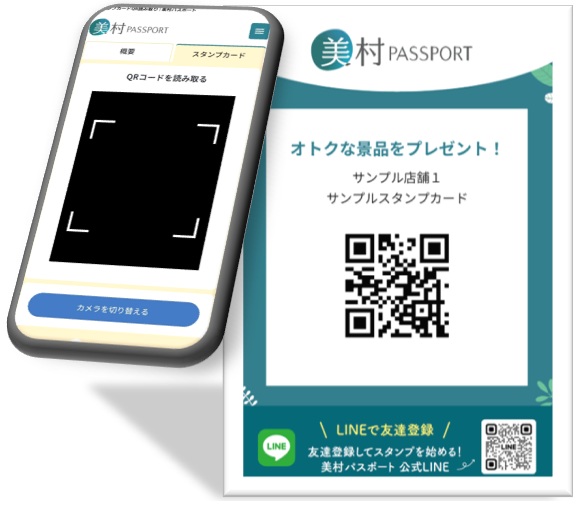
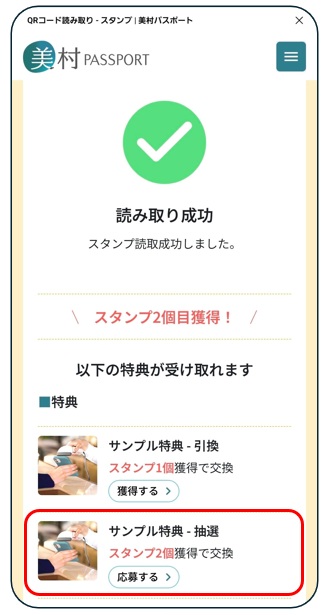
Simply scan the QR code installed at a shop or spot to earn a stamp.
You can easily participate through the app and collect stamps with no hassle.
■How to Participate
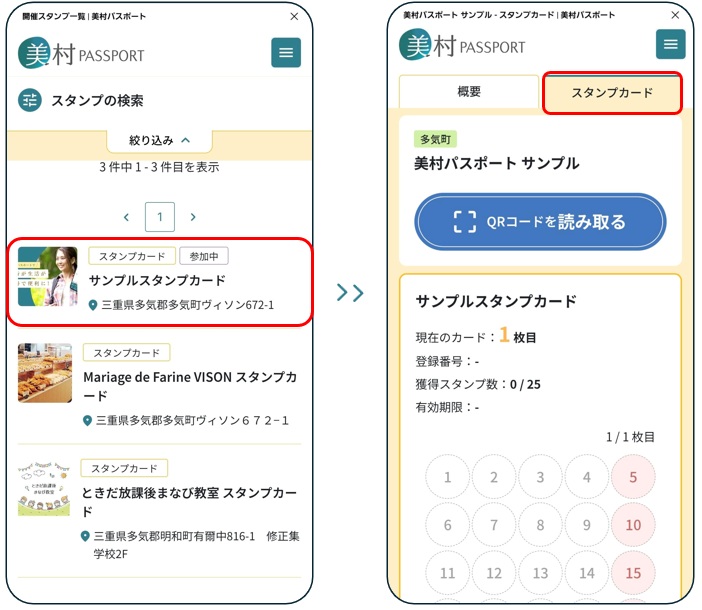
1.Select the stamp card or stamp rally you want to join, then tap “Stamp” or “Stamp Rally” in the top right corner.
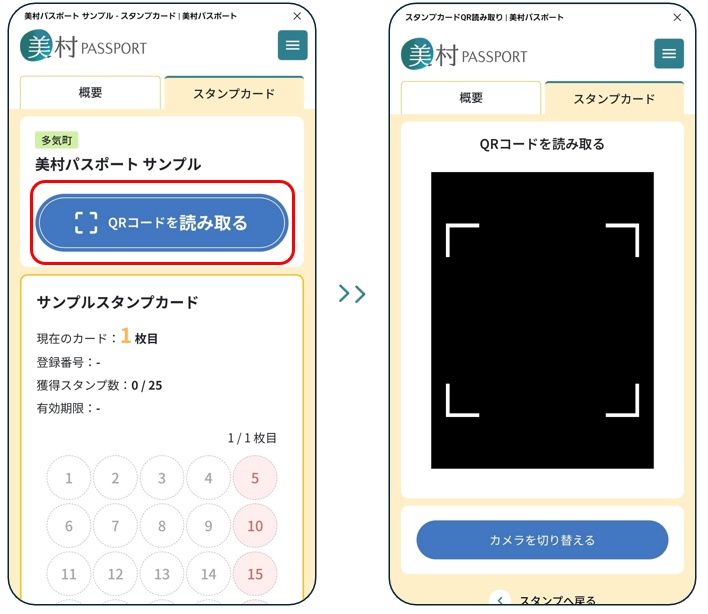
2.Tap “Scan QR Code” to open the camera screen.
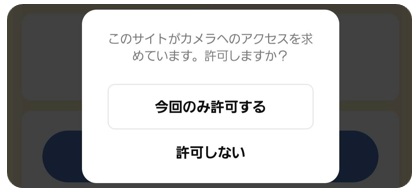
If a permission request for the camera or location appears, please tap “Allow.”
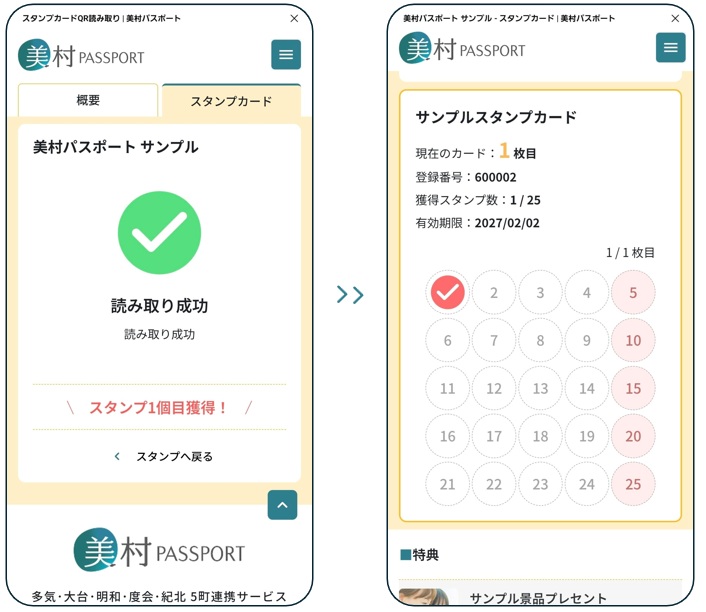
3.Scan the QR code at the shop or spot to receive a stamp.
4.Collected stamps will be added to your stamp card.
Collect Stamps
Redeem Rewards &
Join Prize Draws
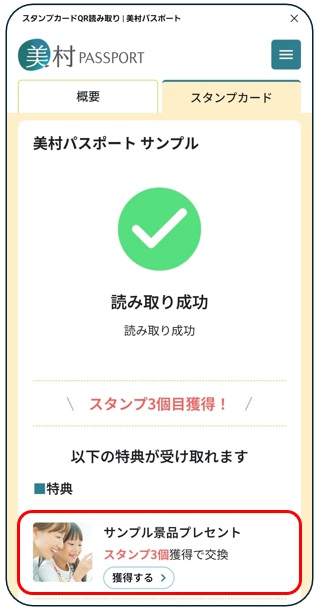
Once you’ve collected enough stamps, you can receive rewards.
There are two types of rewards: instant redemption rewards you can receive right away, and lottery rewards that you can enter to win.
Note: Reward details and entry periods vary depending on each stamp card.
■How to Redeem Rewards
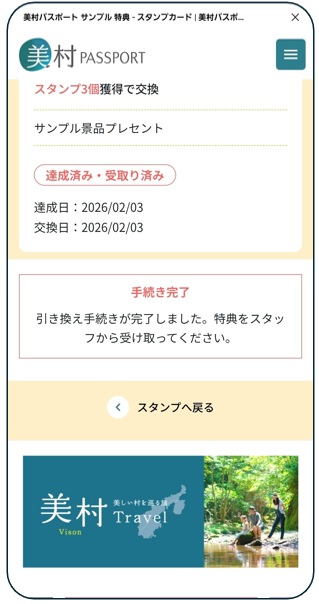
1.Tap the reward you want to redeem.
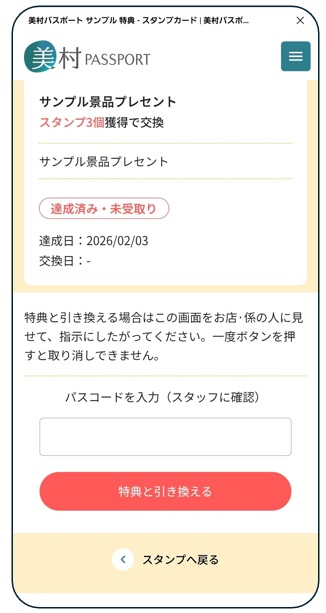
2.Show the redemption screen to the shop staff and follow their instructions.
3.Tap “Redeem Reward.” When the completion screen appears, receive your product or service from the staff.
■How to Enter a Prize Draw
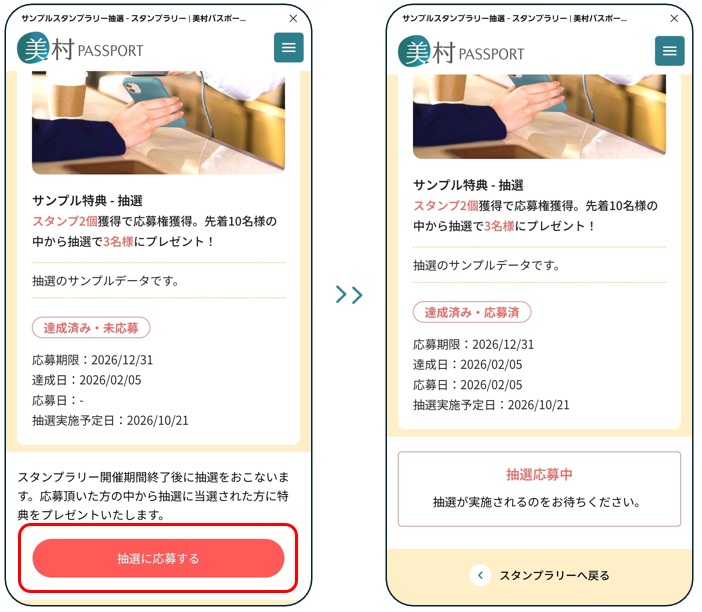
1.Tap the reward you want to enter.
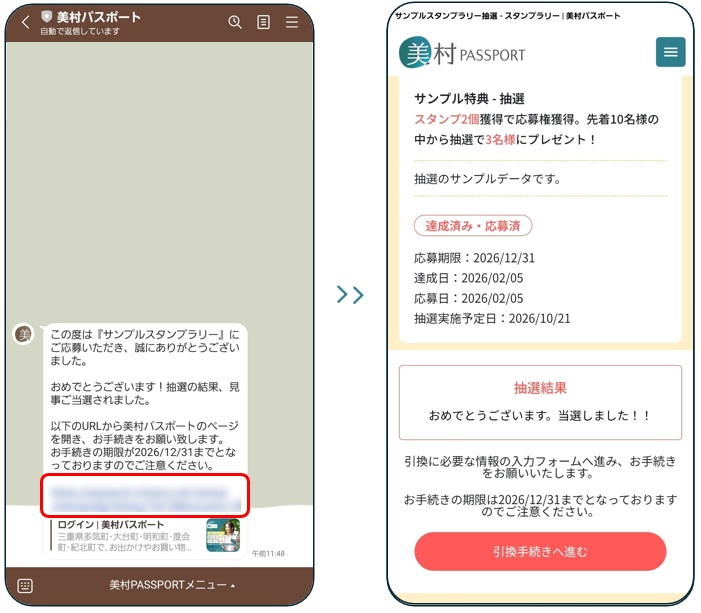
2.Tap “Enter Lottery” to complete your entry. The results will be announced later via LINE and can also be checked in My Page > Notifications.
3.If you receive a winning notification, tap the URL in LINE and select “Proceed to Redemption.”
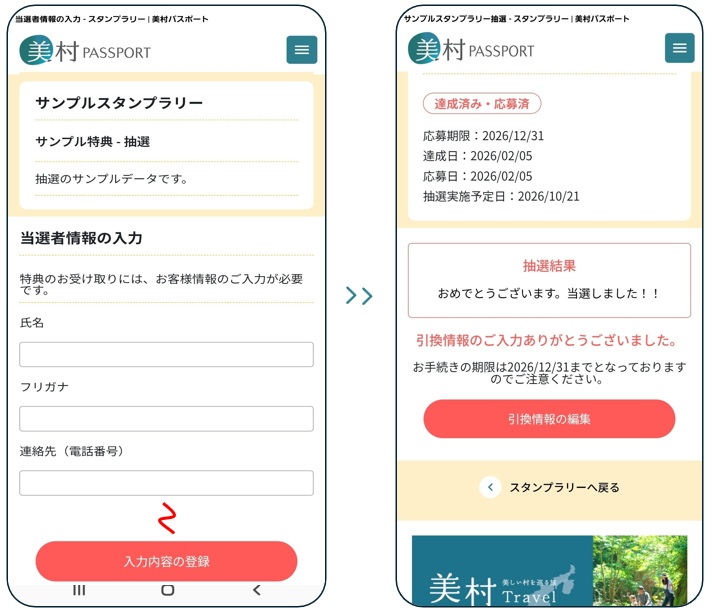
4.Depending on the prize, you may be asked to enter details such as your name, shipping address, or contact information. Please enter the required information and complete the process.