Help
Help
Instructions for My Page
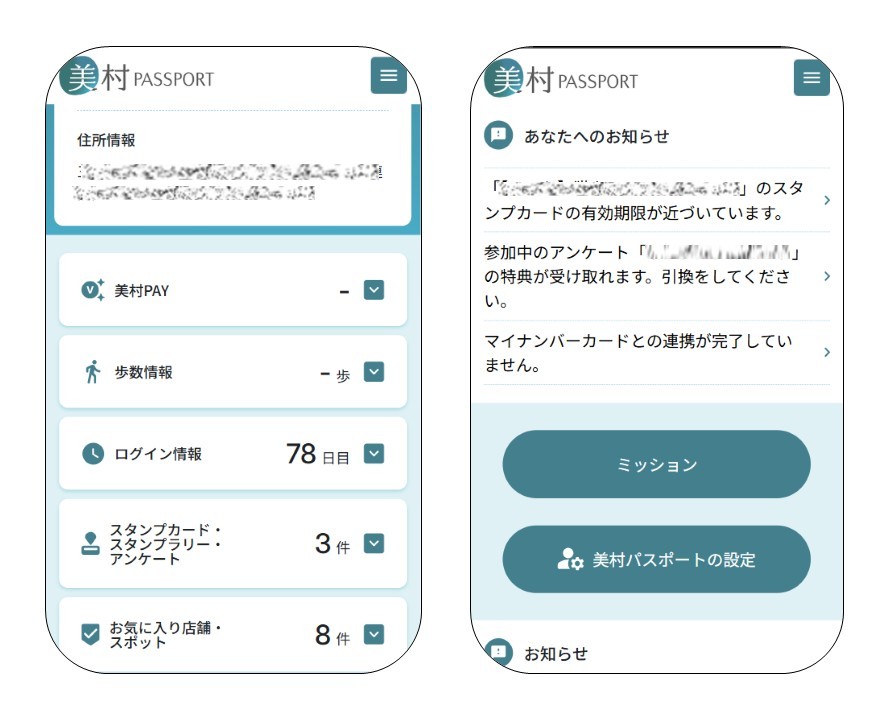
On My Page, you can manage various settings, such as registering your user information, checking notifications tailored to your usage, and viewing your favorite shops and spots.
You can also link VISON PAY to check your coin and point balances.
VISON Passport
My Page
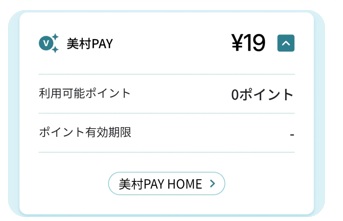
■Check VISON PAY balance
If you have linked VISON PAY, you can check your coin and point balances.
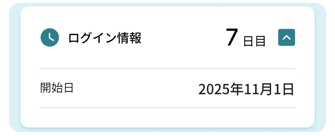
■Check login details
You can check your total number of login days and your start date of use.
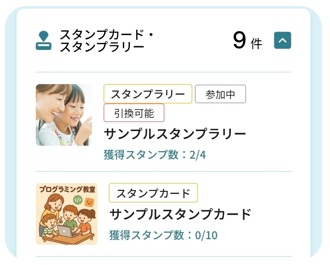
■View Stamp Cards & Stamp Rallies
You can check information on currently available stamp cards and stamp rallies.
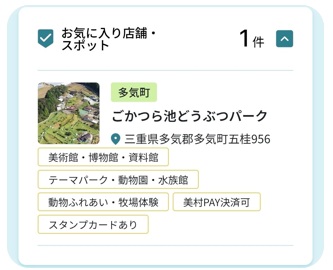
■View Favorite Shops & Spots
You can view the shops and spots you have added to your favorites.
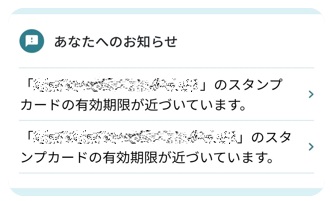
■View Notifications
You can check notifications tailored to your usage, such as stamp reward information, as well as announcements from VISON Passport.
VISON Passport
Settings
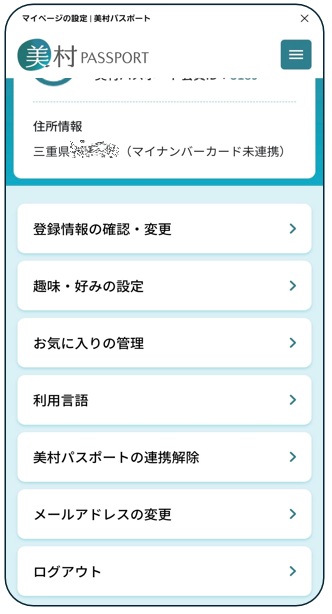
On the Settings screen, you can manage options such as registering your user information, linking VISON PAY, and managing your favorites.
■Registered Information Settings
You can register or update information such as your display name, name, birth month, address, and contact details.
If you have linked VISON Passport, some information will already be filled in.
■Interests & Preferences
You can register your hobbies and interests.
The information you provide will be used to help improve future services.
■Manage Favorites
You can view and manage the shops and spots you have added to your favorites.
Favorites you no longer need can be removed all at once.
■Language Settings
You can change the display language to Japanese or English.
■Link / Unlink VISON Passport
This feature allows you to link your registered information when using the app version of VISON Passport.
By linking, you can check your coin and point balances and verify your identity using your My Number Card.
Note: The app version of VISON Passport will be discontinued on March 6 and integrated into the LINE version. This feature will also be discontinued.
■Register / Change Email Address
You can register or change your email address. Notifications and other updates will be sent to the email address registered here.
Note: The email address registered with VISON PAY will not be changed here. To change your VISON PAY email address, please do so from the VISON PAY home screen.
■Log Out
Log out of the currently signed-in account.
You will need to log in again to continue using the service.